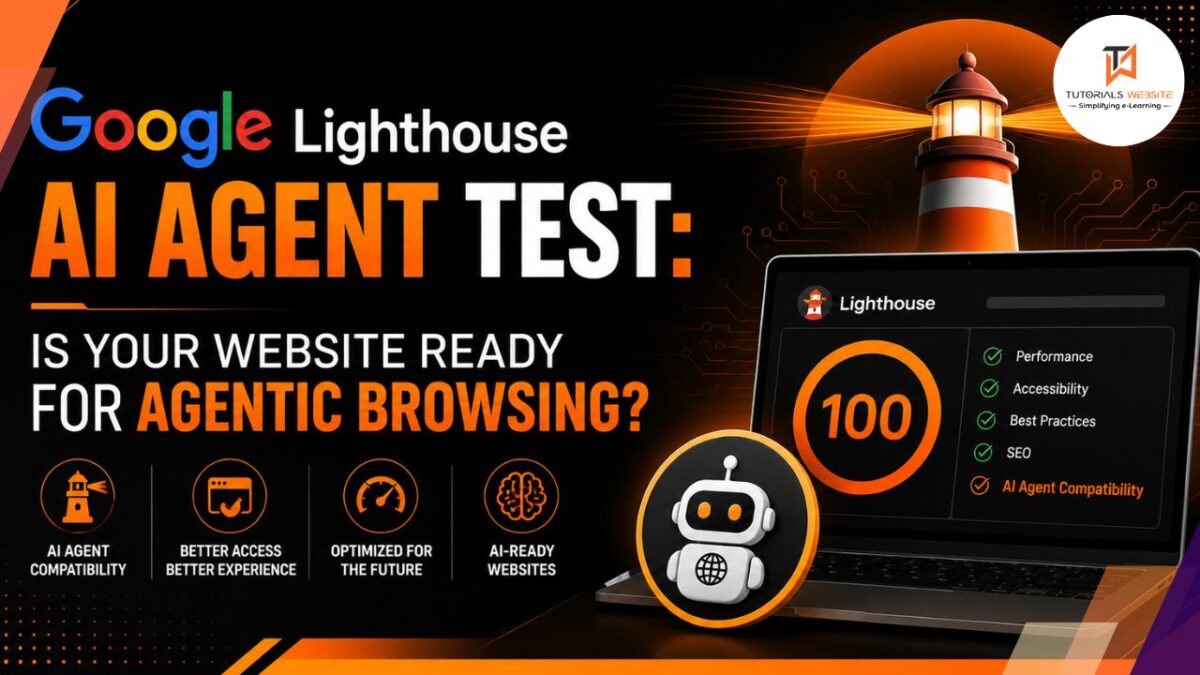
For years, building a website meant optimizing for two audiences: people and search crawlers. In May 2026, Google quietly added a third. Lighthouse shipped a new category called Agentic Browsing that scores how well a website can be read and operated by AI agents, published on May 5, 2026 as part of Lighthouse 13.3.0.
If you’ve never heard of this yet, you’re not behind. Most developers haven’t. But this is exactly the kind of shift I’ve been writing about all year, and it’s the first time Google has put an actual score against it instead of just talking about it.
| What | Detail |
|---|---|
| Feature name | Agentic Browsing (Lighthouse category) |
| Shipped | May 5–7, 2026, Lighthouse 13.3.0 |
| Where to find it | Chrome Canary DevTools → Lighthouse tab, and PageSpeed Insights |
| Status | Experimental, based on proposed standards |
| Scoring | Pass-ratio (e.g., 3/3), not the usual 0–100 score |
| Core checks | WebMCP registration, accessibility tree quality, layout stability (CLS), llms.txt presence |
What the Google Lighthouse AI Agent Test Actually Checks
The audit sits alongside Performance, Accessibility, Best Practices, and SEO, and reports a ratio like 3/3 rather than a percentage score. By default it checks three things: a clean accessibility tree, a stable layout with low cumulative layout shift, and a valid llms.txt file at the site’s root.
Google’s own documentation lists the four core readiness signals as WebMCP registration, accessibility-tree quality, cumulative layout shift, and llms.txt presence. In plain terms, that means:
- Can an AI agent understand your page structure? This leans on the accessibility tree, the same system screen readers have used for years.
- Does your layout jump around while loading? A layout that shifts confuses agents just as much as it annoys human visitors.
- Do you have an llms.txt file? A proposed standard file that tells AI systems what your site is and where the important pages live.
- Have you registered WebMCP tools? A newer, more technical piece, more on that below.
WebMCP: The Part Worth Understanding Now
This is the signal most developers haven’t touched yet, and it’s also the one with real teeth. WebMCP is a new browser protocol from the Chrome team that lets websites register “tools” like search, filter, or add-to-cart that AI agents can call directly, instead of taking screenshots and trying to parse pixels on the page.
Think of it as the difference between an AI agent guessing where your “Add to Cart” button is versus your site handing it the exact function to call. Right now, WebMCP adoption is limited and support is Chrome-only, but it’s the more substantial half of this whole audit.
For a client running WooCommerce or Shopify, this doesn’t mean rebuilding the checkout tomorrow. It means knowing this exists before the next rebuild, so it’s a design decision instead of a scramble later.
Should Google’s Own Stance Concern You?
Here’s the part worth being honest about, because it changes how seriously you should take this right now. Google’s own John Mueller has publicly compared one of these signals, llms.txt, to the discredited keywords meta tag from the early 2000s, even though Lighthouse still audits for it. Google hasn’t confirmed Agentic Browsing as a direct ranking factor — right now, it reads as a readiness signal for agent usability, not a lever that moves search rankings.
That’s a fair amount of internal contradiction from Google itself. My read on it: treat the score as a genuinely useful diagnostic, not a ranking factor to chase. The underlying fixes (a clean accessibility tree, a stable layout, less pixel-guessing for automated tools) are good practice regardless of whether this particular audit sticks around in its current form.
How to Check Your Own Site
You don’t need anything fancy to run this yourself:
- Open Chrome Canary (the standard release doesn’t have this yet).
- Right-click the page and select Inspect.
- Go to the Lighthouse tab in DevTools.
- Run the audit and look for the new Agentic Browsing category.
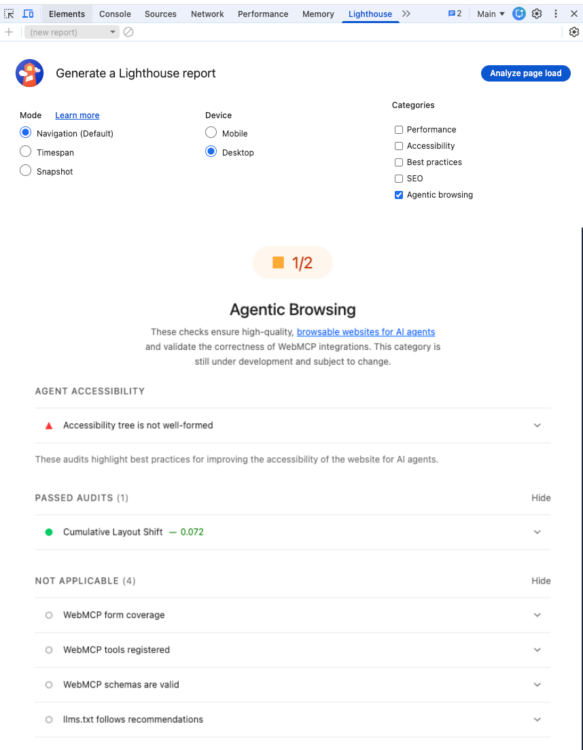
This is the Lighthouse panel on standard Chrome, running on my own site. Notice there’s no Agentic Browsing category here that’s the giveaway you’re on regular Chrome, not Canary. If your panel looks exactly like this, that’s step one done correctly; you’ll need Canary specifically to see the new category.
5. Alternatively, run the site through PageSpeed Insights – it inherited the Agentic Browsing category within about two weeks of the Lighthouse release.
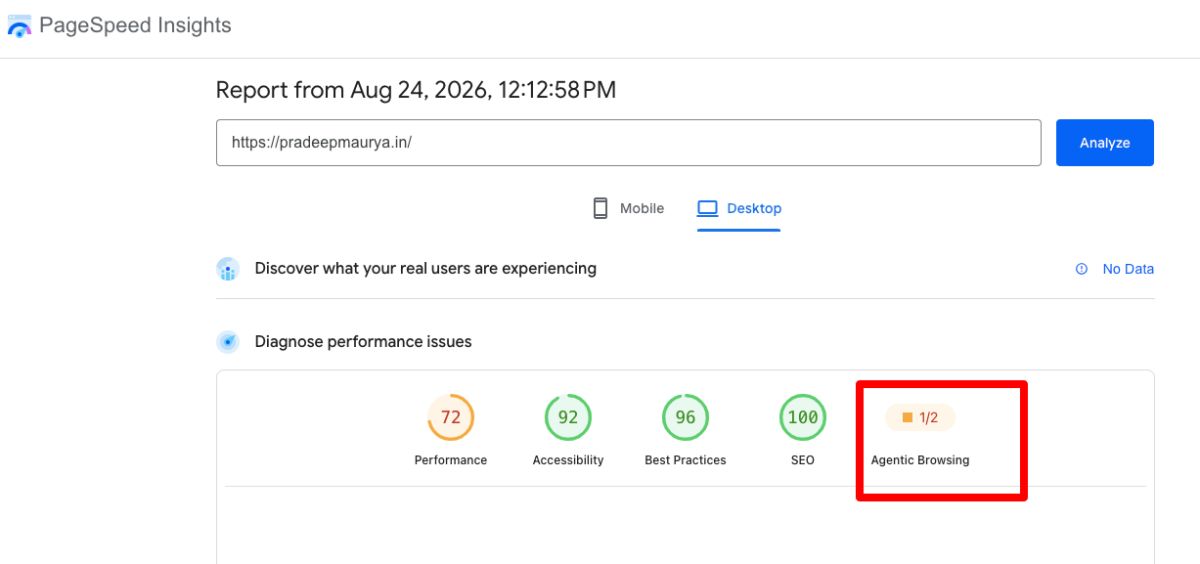
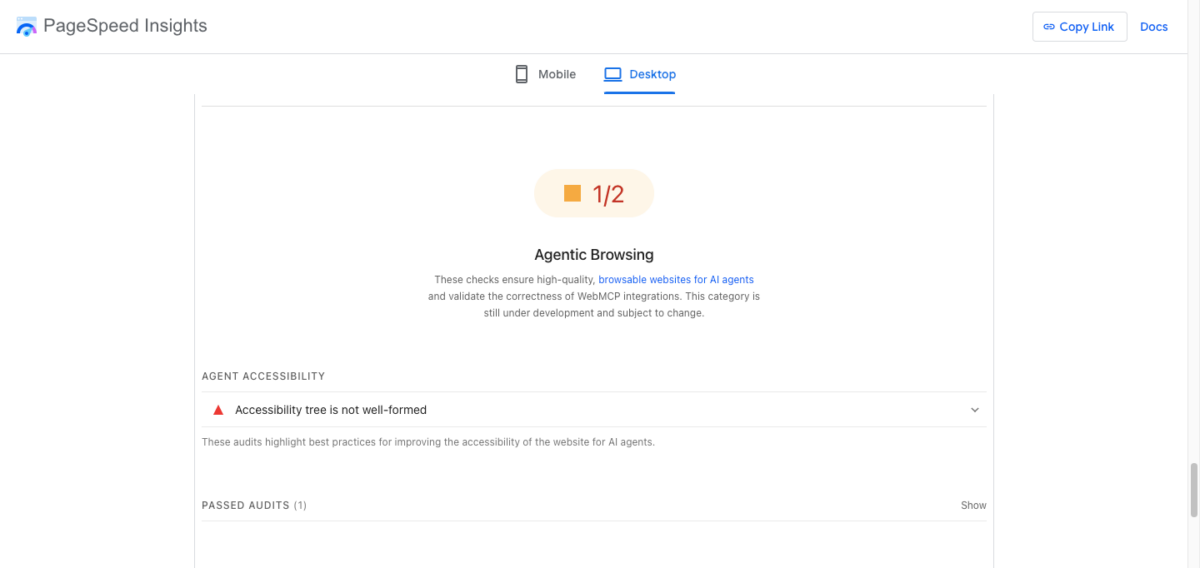
You’ll get a pass ratio, not a percentage. A 2/4 means half the applicable checks passed, and Lighthouse tells you exactly which ones failed.
What Actually Moves the Score
The genuinely useful part of this audit isn’t a list of new hacks. Agent readiness is mostly a return to basics — the technical hygiene most teams already know they should prioritize, but rarely get rewarded for until something breaks.
Practically, that means:
- Fix your accessibility tree first. It improves Lighthouse Accessibility scores, genuine screen-reader usability, and agent readiness in a single pass. This is the highest-leverage fix on the list.
- Kill layout shifts. If your Core Web Vitals report already flags CLS issues, this audit is one more reason to actually fix them.
- Add an llms.txt file if it’s low effort. It won’t hurt, even with Google’s own mixed signals about how much it matters long-term.
- Hold off on WebMCP unless you’re already rebuilding a transactional flow. Checkout, booking, or search are the places where it’s worth the investment first.
FAQs
Not confirmed. Google currently treats it as an experimental readiness signal, not a direct SEO ranking factor. The underlying fixes (accessibility, layout stability) already help SEO regardless.
Currently in Chrome Canary’s DevTools under the Lighthouse tab, or through PageSpeed Insights, which picked up the same Agentic Browsing category shortly after launch.
A proposed browser protocol that lets a website expose specific actions, like search or add-to-cart, as tools an AI agent can call directly instead of visually interpreting the page.
It’s low effort to add and Lighthouse checks for it, but Google’s own webmaster team has publicly questioned how meaningful it actually is. Worth doing, not worth obsessing over.
If you’re planning a rebuild and want accessibility, layout stability, and agent readiness handled properly from the start, that’s exactly the kind of work I take on for WooCommerce and ecommerce projects in Delhi and Shopify builds across Delhi NCR.

Pradeep Maurya is the Professional Web Developer & Designer and the Founder of “Tutorials website”. He lives in Delhi and loves to be a self-dependent person. As an owner, he is trying his best to improve this platform day by day. His passion, dedication and quick decision making ability to stand apart from others. He’s an avid blogger and writes on the publications like Dzone, e27.co